from IPython.display import display, HTML

codi_frontend = """
<div id="chat-box" style="width: 360px; height: 520px; border: 1px solid #bae6fd; border-radius: 24px; display: flex; flex-direction: column; background: #f8fafc; font-family: system-ui, -apple-system, sans-serif; margin: auto; box-shadow: 0 10px 25px -5px rgba(0, 0, 0, 0.1), 0 8px 10px -6px rgba(0, 0, 0, 0.1); overflow: hidden;">
    <div style="background: #e0f2fe; color: #000000; padding: 16px; text-align: center; font-weight: bold; border-bottom: 1px solid #bae6fd; font-size: 16px;">
        Assistent LAN Party 2026
    </div>
    <div id="missatges" style="flex: 1; overflow-y: auto; padding: 15px; display: flex; flex-direction: column; gap: 12px; background: #f0f9ff;">
        <div style="background: #ffffff; color: #000000; padding: 10px 14px; border-radius: 18px 18px 18px 4px; align-self: flex-start; font-size: 14px; border: 1px solid #e2e8f0; max-width: 80%; box-shadow: 0 1px 2px rgba(0,0,0,0.05);">
            Hola, soc l'assistent de la LAN Party, en què et puc ajudar?
        </div>
    </div>
    <div style="display: flex; padding: 12px; border-top: 1px solid #e0f2fe; background: #fff; align-items: center;">
        <input type="text" id="user-input" style="flex: 1; border: 1px solid #cbd5e1; padding: 10px 16px; border-radius: 9999px; outline: none; font-size: 14px; background: #f8fafc; color: #000000;" placeholder="Escriu un missatge...">
        <button onclick="enviar()" style="background: #bae6fd; color: #000000; border: none; margin-left: 8px; padding: 10px 20px; border-radius: 9999px; cursor: pointer; font-weight: bold; font-size: 14px; transition: background 0.2s;">Enviar</button>
    </div>
</div>

<script>
    async function enviar() {
        const input = document.getElementById("user-input");
        const msg = input.value.trim();
        const box = document.getElementById("missatges");
        if (!msg) return;

        // 👇👇👇 POSA L'ENLLAÇ AQUÍ DINS 👇👇👇
        const urlBase = "enllaç-de-ngrok";
        // 👆👆👆 SENSE LA BARRA (/) AL FINAL 👆👆👆

        const uDiv = document.createElement("div");
        uDiv.style = "background: #bae6fd; color: #000000; padding: 10px 14px; border-radius: 18px 18px 4px 18px; align-self: flex-end; max-width: 80%; font-size: 14px; box-shadow: 0 1px 2px rgba(0,0,0,0.1); border: 1px solid #93c5fd;";
        uDiv.textContent = msg;
        box.appendChild(uDiv);
        input.value = "";
        box.scrollTop = box.scrollHeight;

        const tempDiv = document.createElement("div");
        tempDiv.style = "background: #ffffff; color: #000000; padding: 10px 14px; border-radius: 18px 18px 18px 4px; align-self: flex-start; max-width: 80%; font-size: 14px; border: 1px solid #e2e8f0; box-shadow: 0 1px 2px rgba(0,0,0,0.05);";
        tempDiv.textContent = "...";
        box.appendChild(tempDiv);
        box.scrollTop = box.scrollHeight;

        try {
            const resposta = await fetch(`${urlBase}/chat`, {
                method: "POST",
                headers: {
                    "Content-Type": "application/json",
                    "ngrok-skip-browser-warning": "true"
                },
                body: JSON.stringify({ missatge: msg })
            });
            const dades = await resposta.json();
            tempDiv.textContent = dades.resposta;
        } catch (e) {
            tempDiv.textContent = "🔴 Error: El servidor no respon. Revisa l'enllaç del codi.";
            tempDiv.style.background = "#fee2e2";
            tempDiv.style.border = "1px solid #fecaca";
            tempDiv.style.color = "#991b1b";
        }
        box.scrollTop = box.scrollHeight;
    }
    document.getElementById("user-input").onkeypress = (e) => { if(e.key === 'Enter') enviar(); };
</script>
"""

display(HTML(codi_frontend))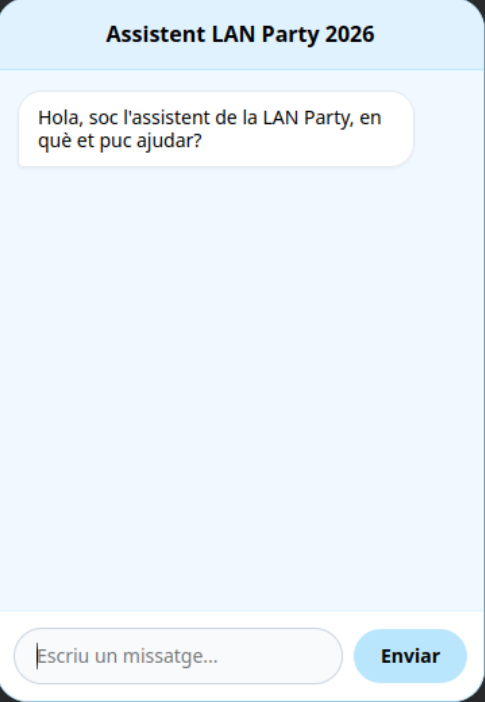
Flux de dades entre FrontEnd i BackEnd
FrontEnd
Una vegada tenia l’enllaç li he demanat a la IA que edites el meu widget per que afegis un espai on posar aquest enllaç que conecti el FrontEnd amb el Backend.
Una vegada tenim l'enllaç d'Ngrok, necesito que editis el codi HTML del meu Widget per tal que hi hau un espai on pugui afegir l'enllaç i poder connectar el FrontEnd amb el BackEnd.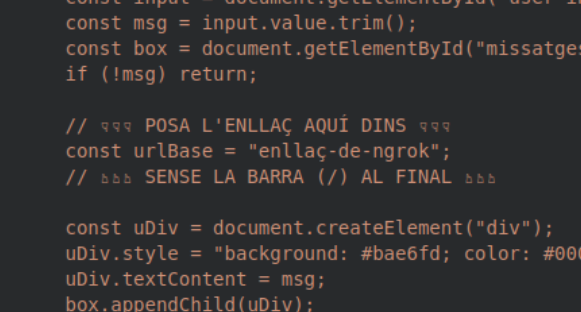
BackEnd
Per aconseguir que el nostre assistent virtual funcionés perfectament dins d’un entorn com Google Colab, hem dissenyat una arquitectura basada en un model Client-Servidor.
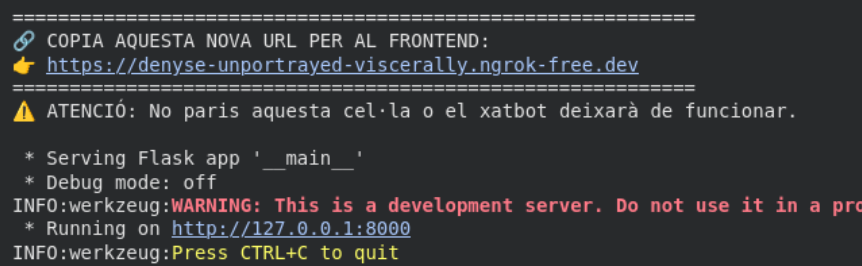
El servidor està programat en Python i utilitza la llibreria Flask per crear una API REST molt lleugera. Aquí una part del codi.
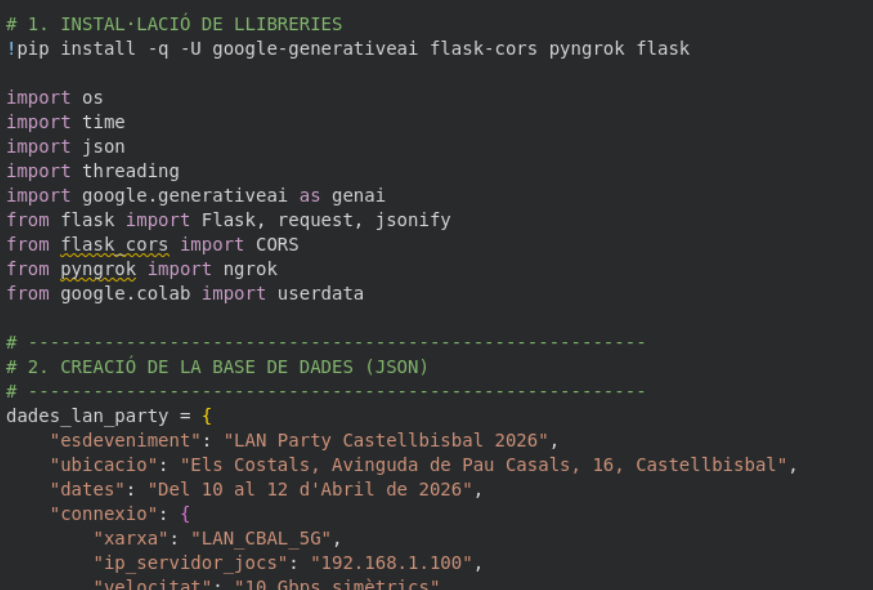
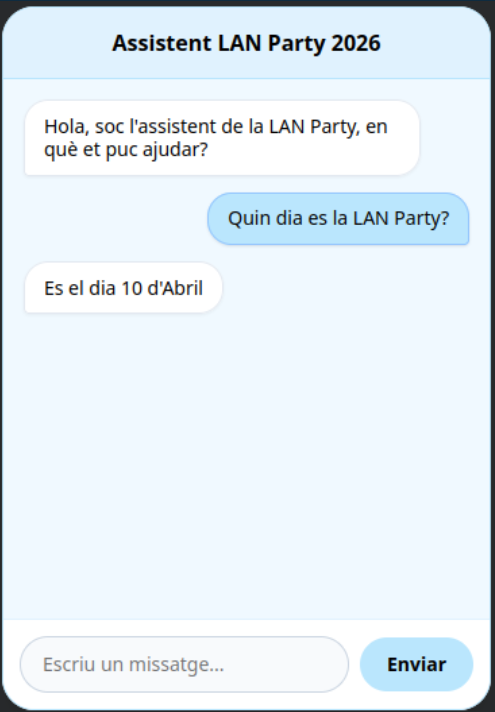
Per poder connectar les dues parts del codi (Widget i Backend), li he donat els meus dos codis a la IA i m’ha corregit algun error i ha fet que tot funcioni.
Estic programant en Google Colab i necessito crear un servidor web lleuger amb Flask que es connecti a l'API de Gemini. El problema és que necessito que aquest servidor local de Colab sigui accessible des d'una interfície HTML/JS que tinc en una altra cel·la. Com puc utilitzar 'pyngrok' per obrir un túnel públic al port 8000? Escriu-me el codi de Python necessari i afegeix una comanda per matar processos antics de ngrok abans d'arrencar per evitar que el port quedi bloquejat al reiniciar la cel·la.